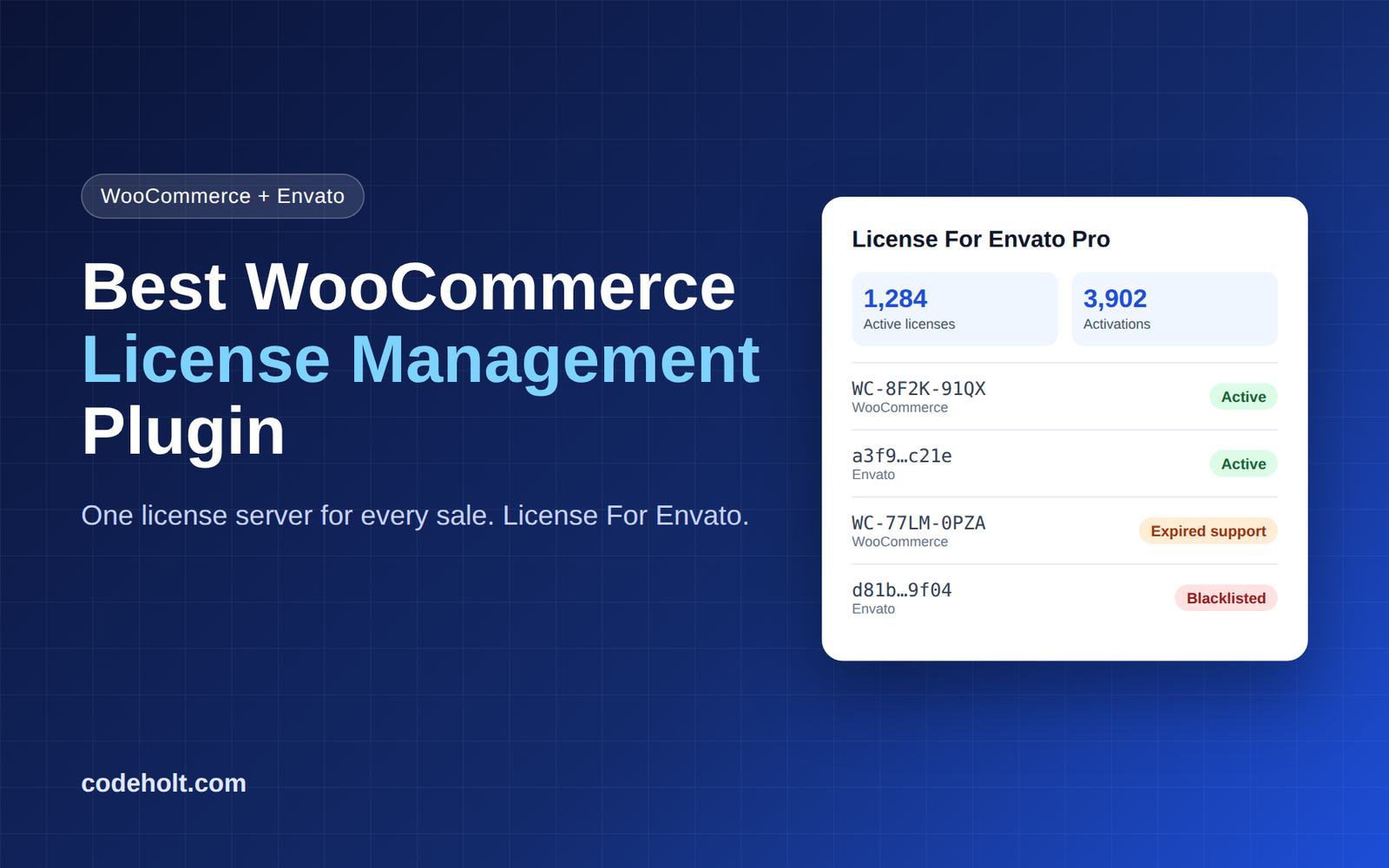
If you sell WordPress plugins, themes or any software on WooCommerce, the best WooCommerce license management plugin is the one that protects every sale without adding work. License For Envato does exactly that. It runs one license server for your WooCommerce store and your Envato sales together.
Why WooCommerce Sellers Need a License Management Plugin
Selling a ZIP file is easy. Controlling what happens after the sale is not. Without a license manager, one purchase can end up on dozens of sites, and you have no way to push updates only to paying customers.
A good WooCommerce license management plugin solves three problems:
- Piracy: it limits how many domains one license can activate.
- Updates: it delivers new versions only to active, valid licenses.
- Visibility: it shows you who is using your product and where.
What Is License For Envato?
License For Envato turns your WordPress site into a self-hosted license server. The free plugin on WordPress.org validates Envato purchase codes through the official Envato API and manages per-domain activations. It is used on 9,000+ sites and rated 5.0 stars.
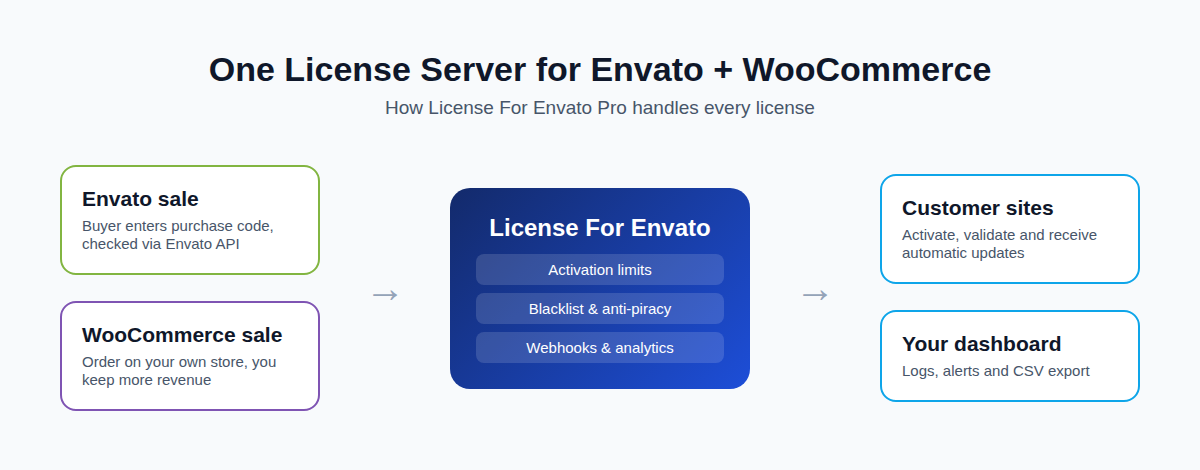
License For Envato Pro is an add-on that sits on top of the free plugin. It adds WooCommerce license integration, so you can sell the same products on your own store and manage every license, Envato or WooCommerce, from one dashboard inside WordPress.
Key Features of License For Envato
WooCommerce License Integration
Sell on your own WooCommerce store and keep more revenue than marketplace sales. WooCommerce licenses live on the same server as your Envato licenses, with the same activation limits, update delivery and blacklist. It is included in every Pro plan.
Envato Purchase Code Validation
Buyers activate with their Envato purchase code, which is checked against the official Envato API. You add your Envato personal token once.
Configurable Multi-Domain Activation Limits
Set how many sites each item can activate. One-site licenses, agency licenses or unlimited: you decide per product.
Automatic Update Delivery
Upload an update ZIP per item. Active customer sites poll your server and get the new version inside their WordPress dashboard.
Anti-Piracy Tools
Blacklist abusive licenses or domains, issue licenses manually, and apply support-expiry rules.
Webhooks, Analytics and Alerts
Send events to other tools with HMAC-signed webhooks. Track activity with analytics and CSV export, and get email alerts when something happens.
Secure and Lightweight
Tokens are stored with AES-256-CBC encryption. The plugin has no external dependencies and ships with a REST API plus a drop-in PHP client class.
Why It’s the Best WooCommerce License Management Plugin
Most WooCommerce license plugins only handle WooCommerce orders. If you also sell on Envato (CodeCanyon or ThemeForest), you end up running two systems. License For Envato is built for both channels from day one.
| What you need | Typical WooCommerce license plugin | License For Envato Pro |
|---|---|---|
| WooCommerce license sales | Yes | Yes |
| Envato purchase code validation | Usually no | Yes, via official Envato API |
| One server for Envato + WooCommerce | No | Yes |
| Per-item activation limits | Varies | Yes |
| Automatic update delivery | Often a separate add-on | Built in |
| Blacklist and anti-piracy | Varies | Built in |
| HMAC-signed webhooks | Rare | Built in |
| Free version to start | Varies | Yes, 9,000+ active installs |
Pricing
Every paid plan includes all Pro features. You only choose how many sites:
| Plan | Price | Sites |
|---|---|---|
| Free | $0 | Core Envato license server |
| Personal | $69/year | 1 site |
| Unlimited | $299/year | Unlimited sites |
| Lifetime Unlimited | $499 one-time | Unlimited sites, lifetime |
All paid plans come with a 14-day refund.
How to Set Up WooCommerce License Management in 3 Steps
- Install Free, then Pro. Install the free License For Envato plugin as your license server. Then activate Pro on top and enter your Pro license key.
- Connect your Envato token and register items. Add your Envato personal token once. Register each product you sell and set its activation limit. Turn on WooCommerce integration to sell the same items on your store.
- Ship updates and track. Upload the update ZIP for each item. Customer sites activate, check for updates, and every event lands in your log.
Requirements: WordPress 6.0+, PHP 7.2+, and the free plugin v1.3.0 or higher. Full guides are in the documentation.
Who Should Use License For Envato?
- Envato authors who want to also sell on their own WooCommerce store without a second license system.
- WordPress plugin and theme developers who need license keys, activation limits and auto-updates.
- Agencies and product sellers who want analytics, webhooks and anti-piracy control.
- Solo developers who want to start free and upgrade only when sales grow.
Frequently Asked Questions
What is the best WooCommerce license management plugin?
License For Envato Pro is a strong choice if you sell on WooCommerce, Envato or both. It manages all licenses from one server with activation limits, auto-updates and anti-piracy tools.
Can I sell software licenses through WooCommerce?
Yes. WooCommerce license integration is included in every Pro plan. Licenses sold on your store use the same activation limits, updates and blacklist as Envato licenses.
Do I need the free plugin to use Pro?
Yes. Pro is an add-on and requires the free License For Envato plugin (v1.3.0+).
Can I deliver automatic updates to customers?
Yes. Upload the update ZIP per item and active customer sites receive it in their WordPress dashboard.
What happens if I don’t renew?
Updates and support stop at the end of the period you paid for.
Is there a refund policy?
Yes. Paid plans have a 14-day, 100% refund. Discounted purchases are not refundable.
Conclusion: Start Free, Upgrade When You Sell
If you want one WooCommerce license management plugin that also handles Envato sales, License For Envato is the simplest path. Start with the free license server, then add Pro when you are ready to sell on WooCommerce, ship automatic updates and stop piracy.