Envato license verification is essential when selling WordPress plugins or themes through Envato, which is a great way to reach customers around the world. But as your product grows, managing purchase codes, license activation, domain usage, updates, and unauthorized installations can become increasingly difficult.
Building a complete licensing system from scratch also takes considerable development time.
License for Envato is a WordPress plugin that helps developers verify Envato purchase codes, validate domains, and manage product licenses directly from their WordPress websites.
If you sell WordPress products through Envato and want a simple way to add license verification to your product, License for Envato can help you get started without building the entire system yourself.
What Is License for Envato?
License for Envato is a WordPress licensing solution designed specifically for developers who sell products through Envato.
It provides the foundation for connecting your WordPress product with the Envato licensing ecosystem and verifying whether a customer has a valid purchase.
With the plugin, developers can build a license verification workflow around their Envato purchase codes and control how their products are activated.
Why Do You Need Envato License Verification?
When you sell a premium WordPress plugin or theme, you need to know whether the person using your product actually purchased it.
An Envato purchase code provides an important way to verify a customer’s purchase. However, simply checking a purchase code once is often not enough for a growing product.
You may also need to know:
- Which website is using the license?
- Is the license already activated?
- Is the customer trying to use the license on another domain?
- Is the license still valid?
- How many websites are using the license?
- Can the customer receive automatic updates?
- Is there suspicious or unauthorized usage?
A dedicated licensing system can make these processes much easier to manage.
How License for Envato Works
The basic workflow is straightforward.
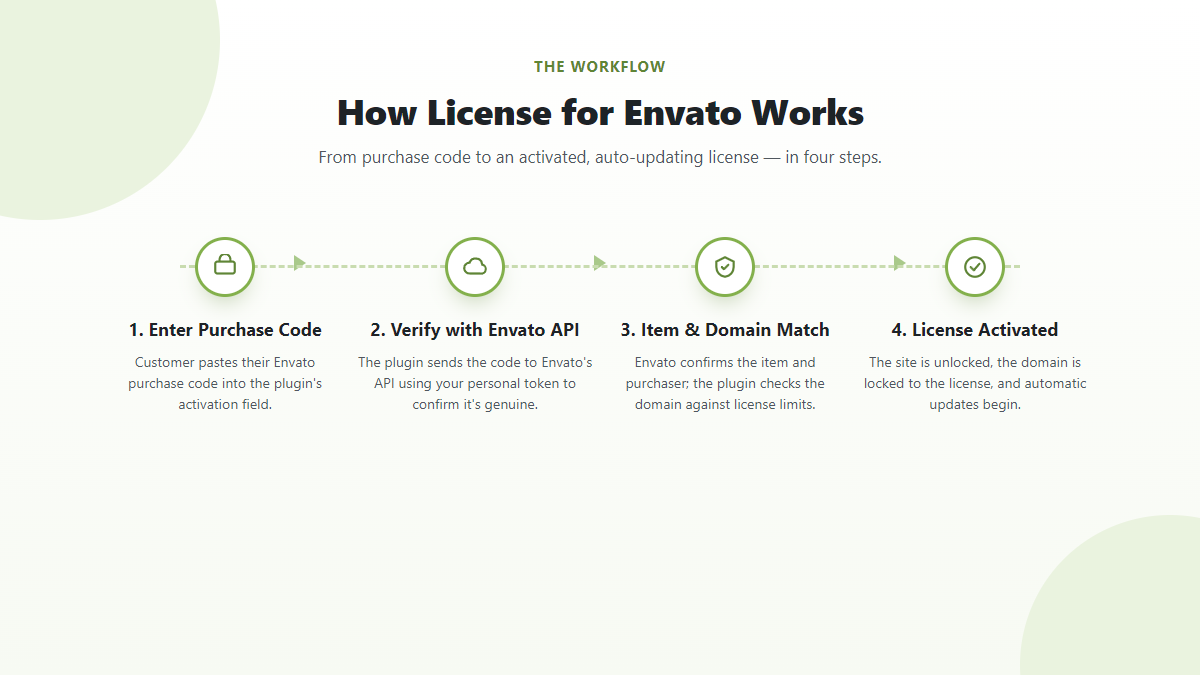
1. Customer Purchases Your Product
A customer purchases your WordPress plugin or theme from Envato.
After the purchase, the customer receives an Envato purchase code associated with the transaction.
2. Customer Enters the Purchase Code
Your WordPress product can request the customer’s purchase code during activation.
The customer enters the code into your plugin’s license activation interface.
3. License Verification
License for Envato communicates with Envato to verify the purchase information.
If the purchase is valid, your application can continue with the appropriate activation process.
4. Domain Validation
The license can also be associated with a website domain.
This allows developers to control where a particular license is being used and reduce unauthorized installations.
5. License-Based Features
Once the license has been verified, your product can use the license status to control features such as premium functionality, updates, support, or other product-specific services.
Key Features of License for Envato
License for Envato focuses on the core requirements of Envato-based WordPress product licensing.
Envato Purchase Code Verification
Verify customer purchase codes through the Envato API instead of manually checking purchases.
This provides a more reliable way to determine whether a customer has purchased your product.
Domain Validation
Associate licenses with domains and control where your WordPress product can be activated.
Domain validation is particularly useful for premium plugins and themes where developers want to limit unauthorized usage.
License Management
Manage license information from your WordPress environment instead of maintaining a completely separate licensing system.
Envato API Integration
The plugin is designed around Envato’s API, allowing your WordPress product to work with Envato purchase information.
Developer-Friendly Architecture
License for Envato is built for WordPress developers who want to add licensing functionality to their own products without developing everything from the beginning.
License for Envato Free vs Pro
License for Envato is available in both free and Pro versions.
The Free version provides the core functionality needed to get started with Envato license verification.
The Pro version is designed for developers who need more advanced licensing and product-management capabilities.
With Pro, you can get features such as:
- Configurable multi-domain limits
- Automatic update delivery
- Webhooks with HMAC signing
- Blacklist management
- Manual license issuance
- License analytics
- Email notifications
- Advanced license management
- Additional tools for managing premium WordPress products
The Pro version is especially useful when you’re running a growing WordPress plugin or theme business and need more control over your licensing infrastructure.
Explore License for Envato Pro
If you need advanced license management features, you can learn more about License for Envato Pro here:
https://codeholt.com/products/license-envato-pro/
Who Should Use License for Envato?
License for Envato can be useful for a wide range of WordPress developers and businesses.
WordPress Plugin Developers
If you sell premium WordPress plugins through Envato, you can use license verification to validate customers and control product activation.
WordPress Theme Developers
Theme developers can use purchase-code verification and domain validation as part of their product licensing workflow.
WordPress Agencies
Agencies that develop and distribute their own WordPress products can use a licensing system to manage customer installations more efficiently.
Envato Sellers
If you already have products on Envato Market and want to introduce a more structured licensing workflow, License for Envato provides a starting point for implementing it.
Developers Building Premium Products
If you’re planning to launch a premium WordPress product, implementing licensing early can help you build a better foundation for future updates, support, and product management.
Benefits of Using a Dedicated Licensing System
Developing a licensing system yourself may look simple initially, but a production-ready solution usually involves much more than validating a purchase code.
You may eventually need:
- API communication
- License storage
- Domain activation
- Activation limits
- License status management
- Update delivery
- Webhooks
- Security measures
- Blacklisting
- Analytics
- Notifications
- Admin management
A dedicated licensing solution can reduce the amount of time required to build and maintain these features.
Instead of spending weeks building the infrastructure, developers can focus more on improving their actual WordPress product.
License Management for Growing WordPress Products
A small plugin may only have a few customers initially.
But as the number of installations grows, manual license management quickly becomes difficult.
Imagine having thousands of customers and needing to manually determine:
Is this purchase code valid?
Which domain is using this license?
Has this customer reached the activation limit?
Should this customer receive updates?
Is this license being used suspiciously?
A proper license management system can automate much of this process.
This becomes especially important for products with thousands of active installations.
Security and License Verification
License verification is not only about preventing unauthorized usage.
It can also help developers build a more controlled software distribution system.
For example, a premium plugin can use license status to determine whether a customer is eligible for:
- Premium updates
- Automatic updates
- Support
- Pro features
- Additional installations
However, developers should always design their licensing system carefully and avoid treating licensing as a complete security mechanism by itself.
License verification should be one component of a broader WordPress security strategy.
Automatic Updates
One of the biggest advantages of having a proper licensing infrastructure is the ability to connect licenses with automatic product updates.
Instead of asking customers to manually download every new version, developers can provide an update mechanism that checks whether the customer’s license is eligible for updates.
This can significantly improve the customer experience.
For premium WordPress products, automatic updates can also help developers distribute security patches and new features more efficiently.
Webhooks and Advanced Integrations
For more advanced licensing workflows, webhooks can be used to communicate license-related events between systems.
For example, your application may need to respond when a license is activated, deactivated, blacklisted, or otherwise updated.
License for Envato Pro includes webhook functionality with HMAC signing, which can help developers build more secure integrations between their licensing infrastructure and other applications.
This becomes particularly useful when your WordPress product is connected to an external SaaS, dashboard, or customer management system.
Multi-Domain Licensing
Different customers often have different requirements.
One customer may need a license for a single website, while another may manage several websites.
Configurable multi-domain limits allow developers to create licensing rules that better match their product plans.
For example, you could offer:
- Single-domain licenses
- Multi-domain licenses
- Agency licenses
- Higher-tier plans with larger activation limits
This gives developers more flexibility when designing their product pricing and licensing model.
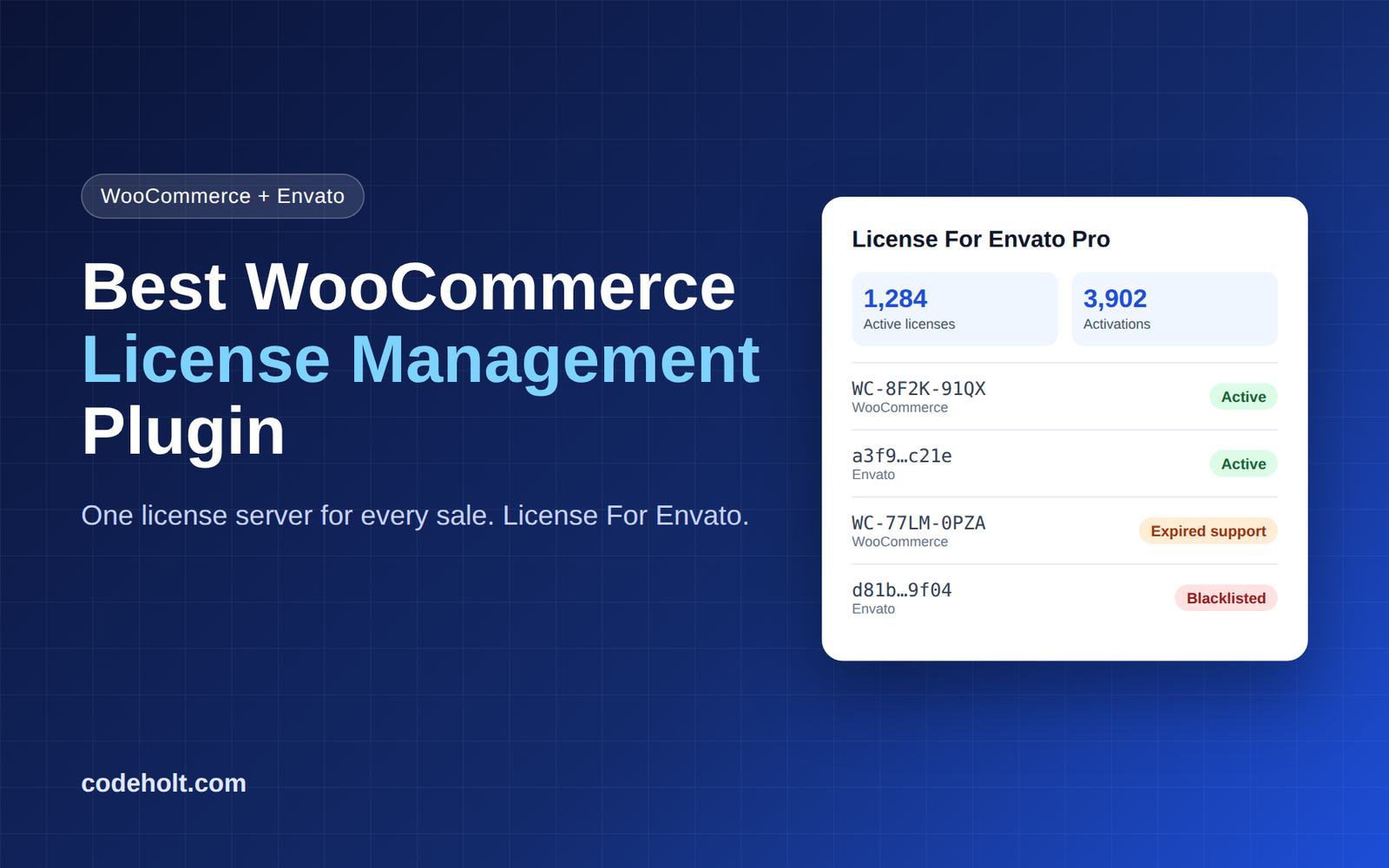
License Analytics
As your product grows, understanding license usage becomes increasingly valuable.
Analytics can help you understand things such as:
- Number of active licenses
- Activation activity
- Domain usage
- License status
- Product usage patterns
This information can help developers make better decisions about product development, pricing, support, and customer management.
Getting Started with License for Envato
Getting started with License for Envato is straightforward.
Step 1: Install the Plugin
Install License for Envato on your WordPress website.
Step 2: Configure Envato API
Configure the required Envato API settings according to the plugin documentation.
Step 3: Create Your Licensing Workflow
Decide how your product will collect and verify customer purchase codes.
Step 4: Configure Domain Rules
Set your activation and domain requirements according to your product’s licensing model.
Step 5: Connect Licensing With Your Product
Use the available licensing functionality in your WordPress plugin or theme to determine whether a customer has a valid license.
Step 6: Upgrade When You Need More
Start with the free version and move to Pro when you need advanced functionality such as multi-domain limits, automatic updates, webhooks, analytics, and additional license-management features.
Why Build Your Own License System?
For experienced developers, building a custom license server is certainly possible.
But the real challenge is maintaining it over time.
A licensing system needs to handle security, API changes, edge cases, activation rules, update delivery, customer support, and scalability.
Using an existing licensing solution can reduce development and maintenance costs while allowing you to concentrate on your core product.
Final Thoughts
For developers selling WordPress plugins and themes through Envato, license management becomes increasingly important as the product grows.
License for Envato provides a practical foundation for Envato purchase-code verification, domain validation, and license management inside WordPress.
Whether you’re launching a new premium plugin or already managing a large customer base, a structured licensing system can help you automate license verification and provide a better experience for your customers.
If you need more advanced features such as multi-domain licensing, automatic update delivery, webhooks, blacklist management, manual license issuance, and analytics, check out License for Envato Pro.
Get License for Envato Pro
Learn more: https://codeholt.com/products/license-envato-pro/
Start building a better licensing system for your WordPress product today.